Themes
A Theme is a named set of colours and styling: background opacity, line thickness, spacing, corner radius, text size and its Look. Das-Meter comes with the built-in Presets' Themes (Mixing/Producing 1.0, the standard one, Mastering 1.0 and Producing Top-Bar 1.0), Nocturne (deep blue-violet black with gold, cyan and green), Dark, Light and High contrast (a colour-blind-safe palette, with shape cues besides colour), and three darker ones with a near-black body and dark grey panels: Midnight Purple, Deep Turquoise and Graphite (neutral greys with light grey and white).
By default a Preset uses the Mixing/Producing 1.0 Theme and Light as a pair and follows the system's light/dark setting. Turn that off to pick one Theme. Every built-in starts from the same styling: the Smooth Look without glow, gradient or vignette, thin lines, a light grid fade, a 2.3 px gap and square corners.
Edit ▸ Undo (⌘Z, Ctrl+Z on Windows) takes back the last change to a Theme or Preset, such as a Theme picked, a colour or a slider; Redo (⇧⌘Z) makes it again. A slider dragged counts as one step.
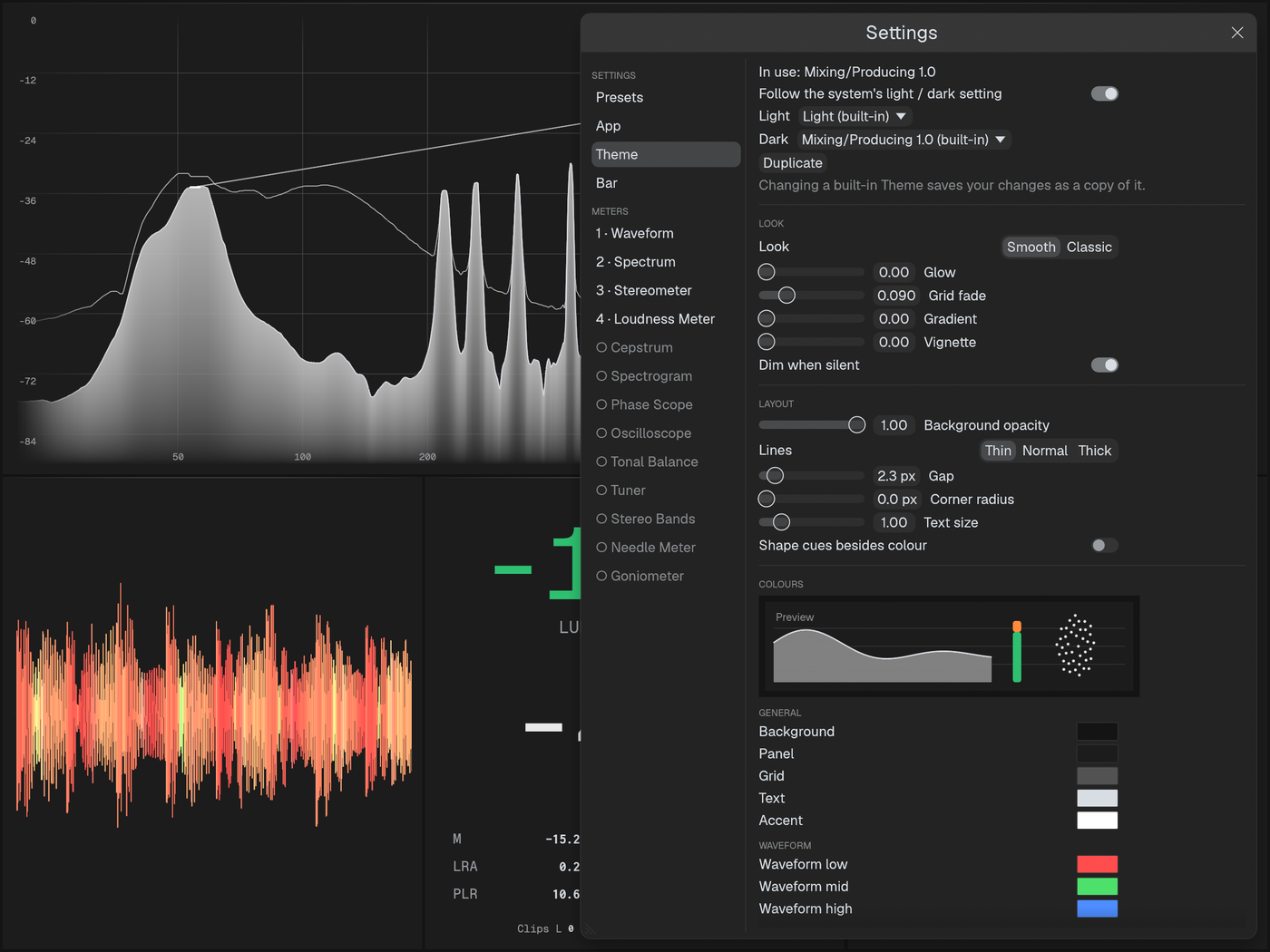
To make your own, change any colour or slider of a Theme in the settings.
Changing a built-in Theme saves your changes as "
- macOS:
~/Library/Application Support/Das-Meter/themes - Windows:
%APPDATA%\Das-Meter\themes - Linux:
~/.config/das-meter/themes
A lower background opacity makes the Meters see-through.
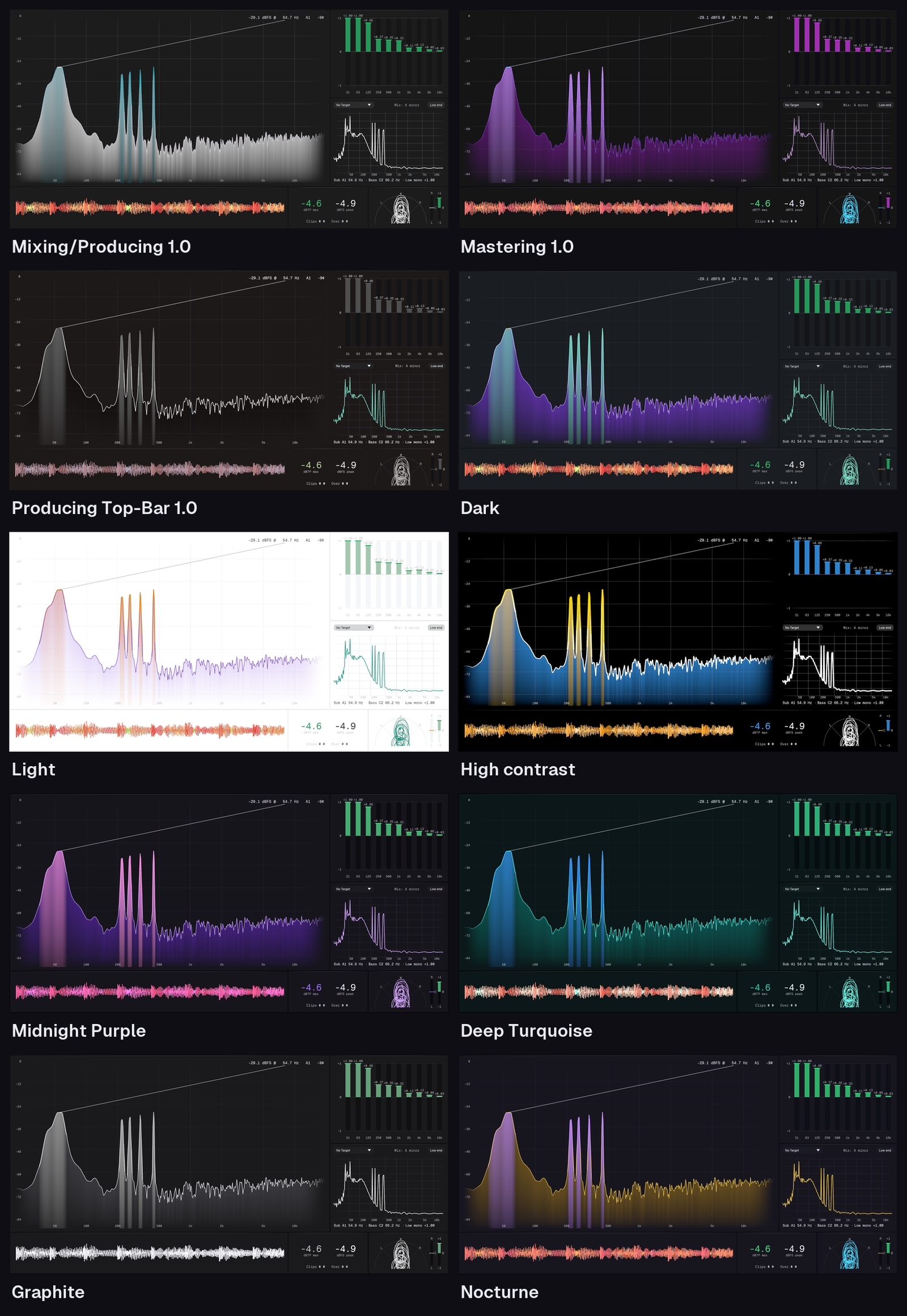
Look
Each Theme is drawn in one of two Looks:
- Smooth (the default): floating rounded panels on a soft gradient with a faint vignette, thin grids that fade out toward the edges, a soft glow under the traces, fills that fade to transparent, and a glow behind the big Loudness numbers. Reference lines (0 dB, the loudness target, 1 kHz, the Phase Scope's centre line) stand out a little from the rest of the grid. Hovering a Meter brightens its grid, and a Meter dims gently after about a second of silence. On light Themes, glows become soft shadows.
- Classic: the flat look of earlier versions.
With Smooth you can tune Glow, Grid fade, Gradient, Vignette and Corner radius, and turn Dim when silent off.